Skip to content
CampusHire
Login

CampusHire

One platform.
The entire placement journey.

From verified student profiles to applications, interviews and placement tracking — CampusHire connects the entire campus placement journey.

Student login
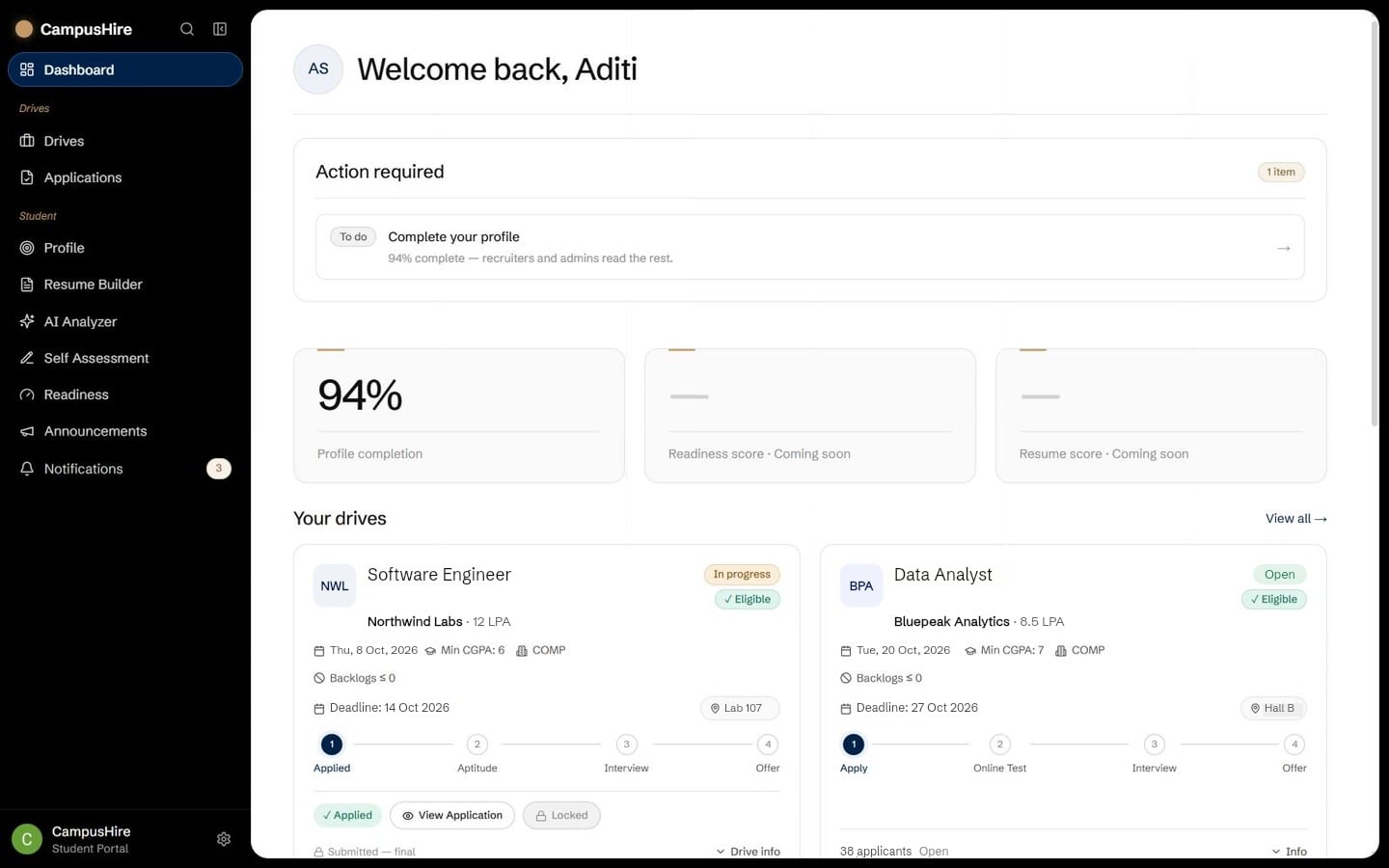
CampusHire student dashboard: profile completion, eligible drives, notifications and deadlines
View the full screen

The real student dashboard. The panels trace one student’s journey (illustrative).

The problem

Placements shouldn’t live in 10 different places.

Sheets, groups, threads, PDFs and forms — none of them talk to each other.

CampusHire pulls them together…

…into one connected system.

For students

One profile.
Seven sections.
Ready to apply.

Start with the essentials. Your story has one home from day one.

Add academics, skills and work. Watch your profile take shape.

When it is ready, the same profile moves with every application.

MY PROFILE
  1. Personal
  2. Academic
  3. Skills & Links
  4. Projects
  5. Experience
  6. Certifications
  7. Preferences
Aditi SharmaComputer Engineering · 4th year
ACADEMICSComputer EngineeringClass of 2027 · CGPA 8.4
SKILLSPython · React · SQL
PROJECTSCampus event app · Sales forecasting
Your profile starts hereLooking good. Keep going.✓ Ready to applyONE PROFILE · EVERY OPPORTUNITY
A visual story of building a CampusHire profile

Smart discovery

The right opportunities,
without the noise.

12 drives5 eligible3 relevant

Eligibility engine
  • CGPA ≥ 7.0
  • Branch: CSE, IT
  • No active backlogs
  • Batch 2023-27
One rule set decides what you see and whether you may apply.
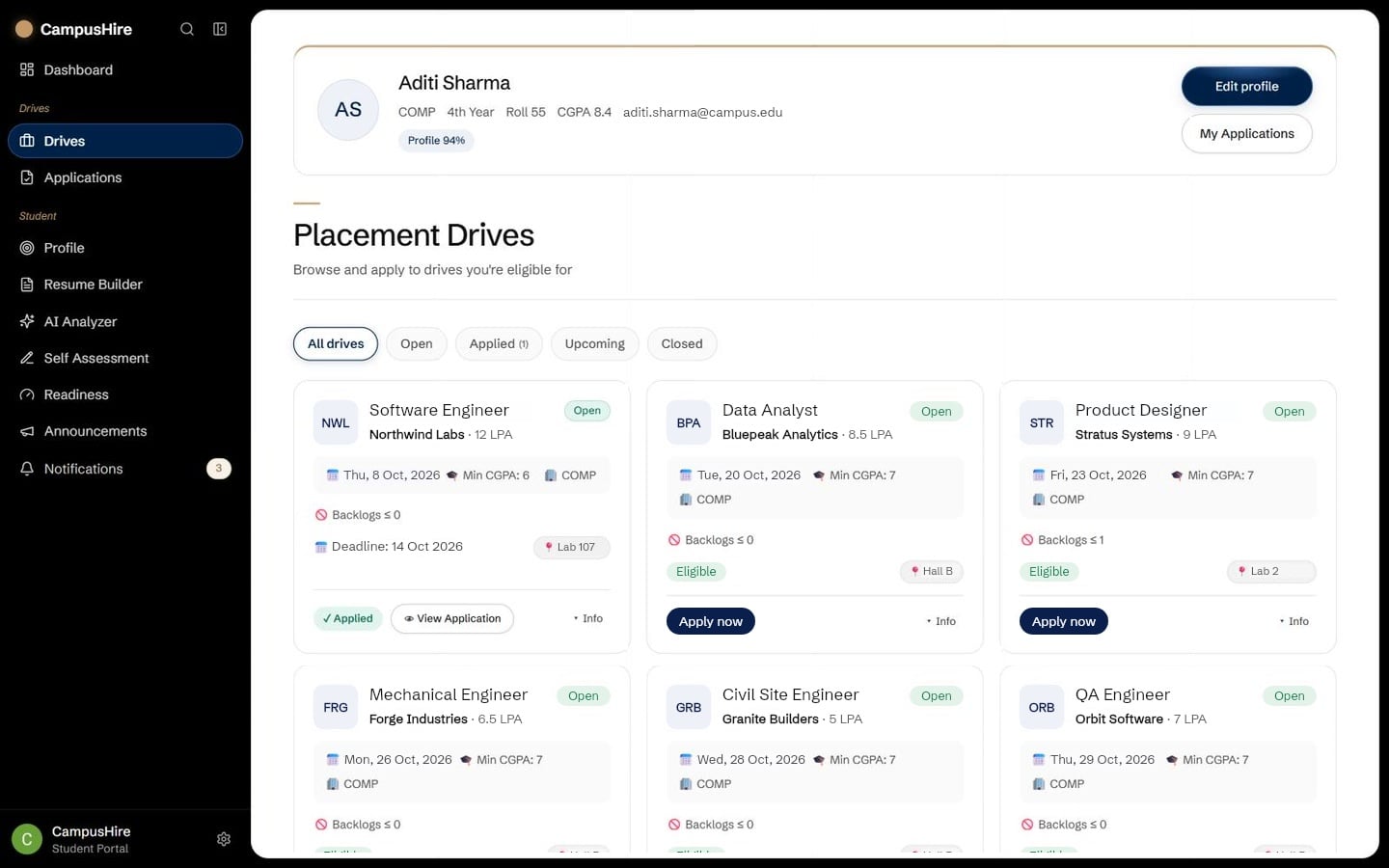
CampusHire drives page listing only the drives the student is eligible for
View the full screen

Drive cards are illustrative; the page behind them is the real drives list.

One click application

Apply once.
Keep your verified profile with you.

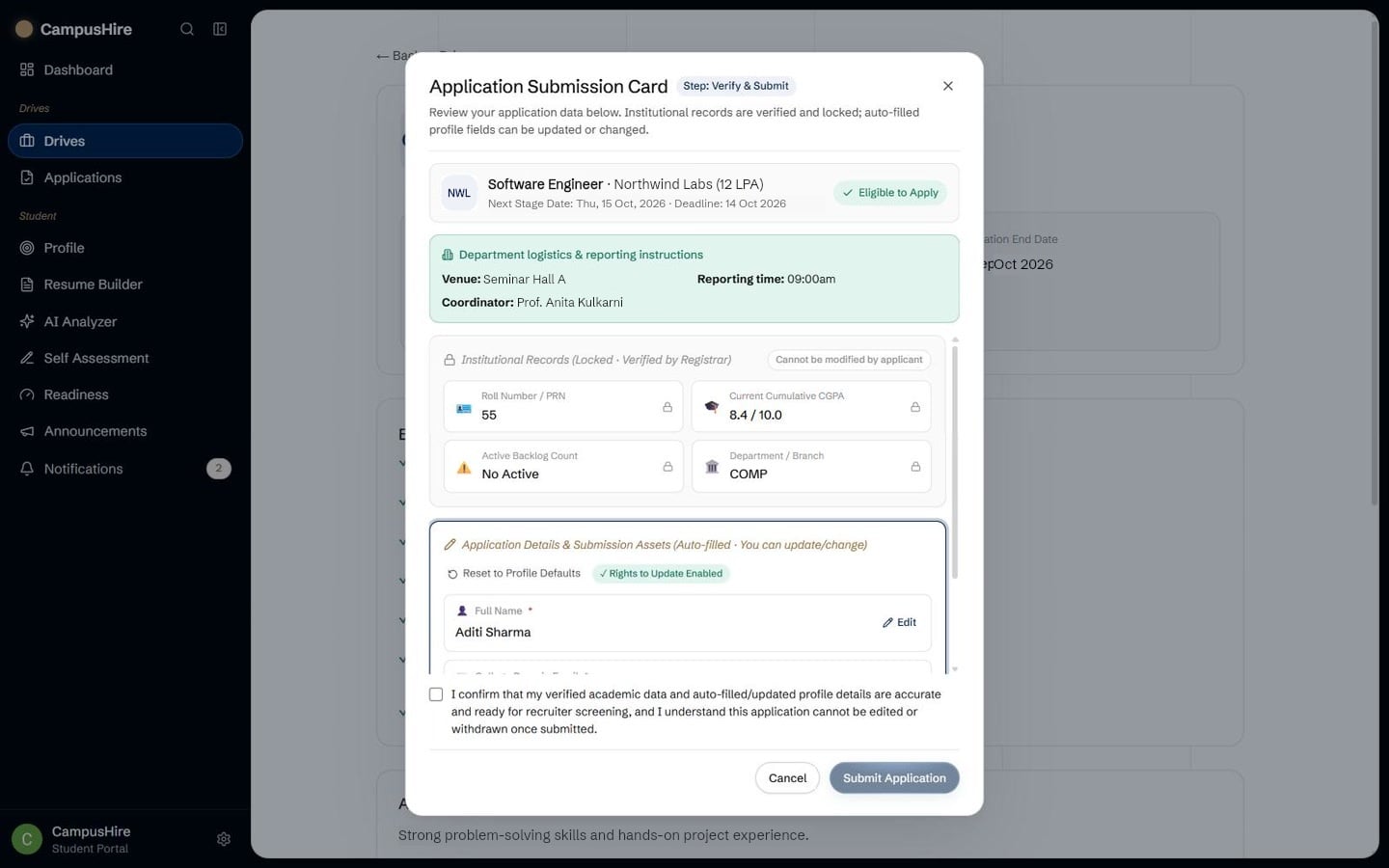
No re-typing the same details for every company. The drive’s form is filled from your profile, and what you submit is saved as a snapshot. Applications are final — one per drive.

CampusHire application review: verified records locked, other details filled in from the profile
View the full screen

Track every round

Know exactly where
every application stands.

Apply once.

Know exactly where you stand.

Never lose track of a round.

From application to offer.

Selected.

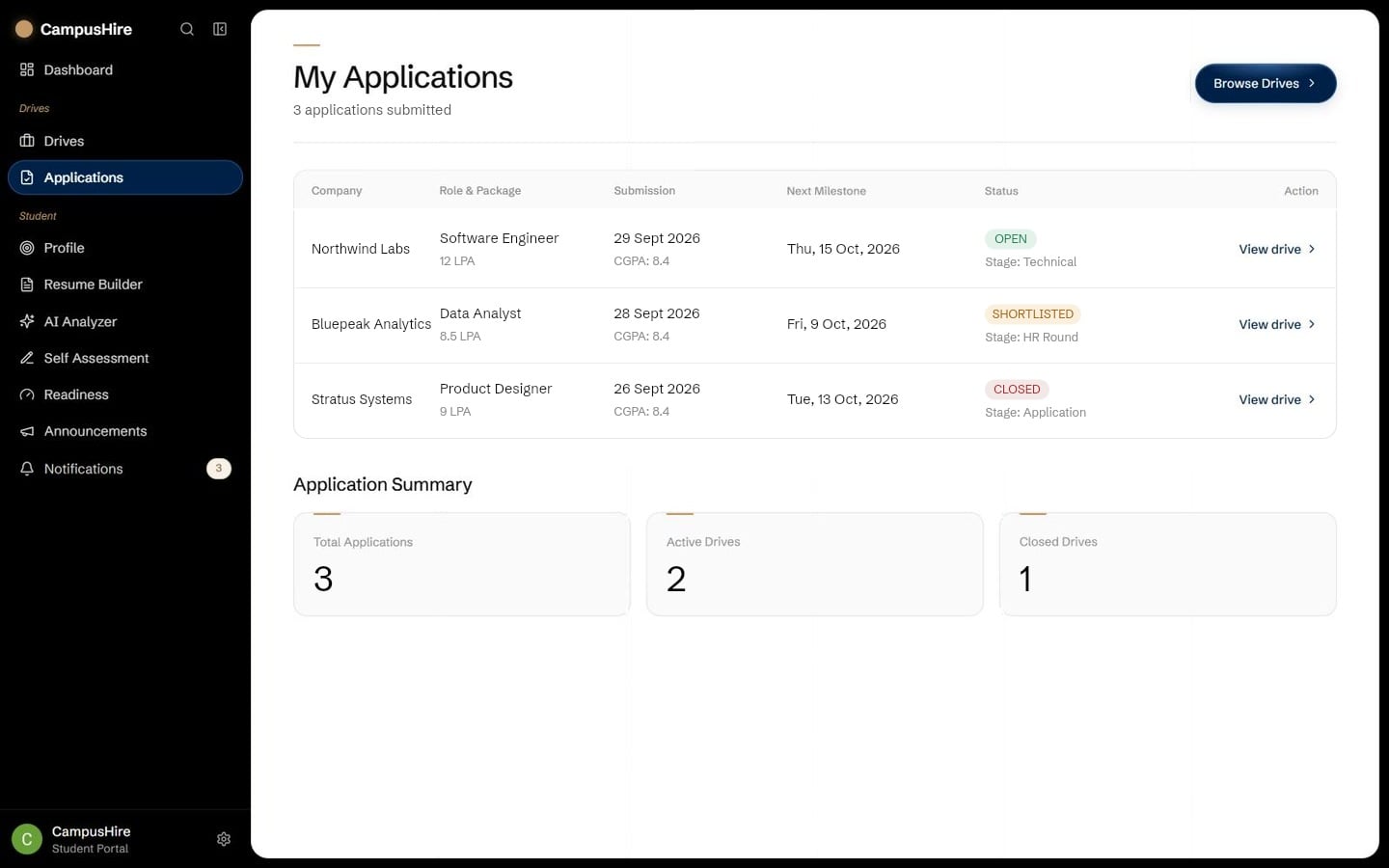
  • One timeline per application. Applied, shortlisted, each round, the offer.
  • Every move is recorded. The placement cell advances a round and you see it at once.
  • Nothing to chase. No spreadsheets, no asking which round you are in.
CampusHire applications page showing each application and its current round
View the full screen

Never miss an update

The next step finds you.

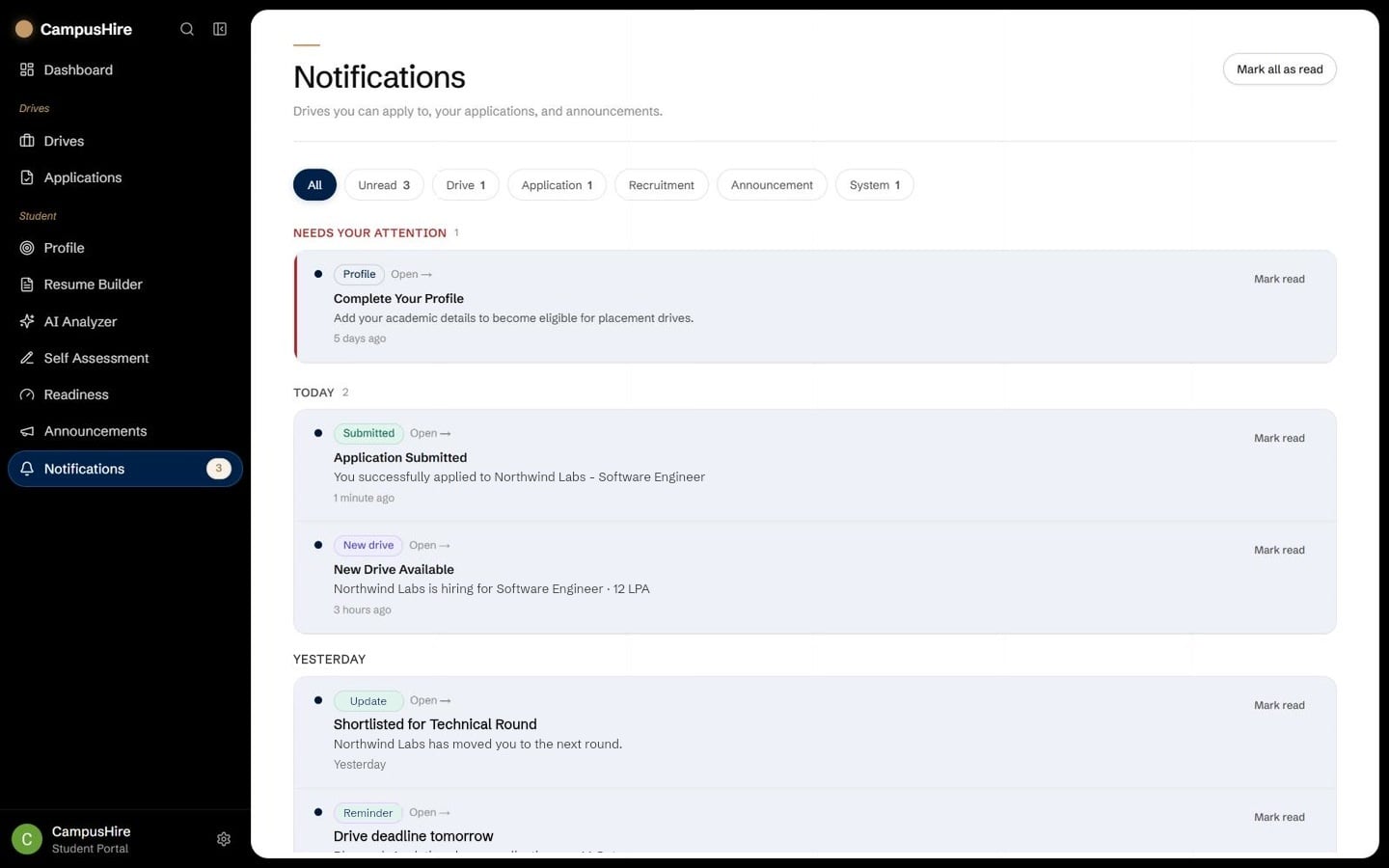
New eligible drives, closing deadlines, shortlists and interview slots arrive in-app — to exactly the students they concern, ranked by what needs you first.

  • New eligible drive available — Stratus Systems · Cloud Engineer
  • Drive deadline tomorrow — Bluepeak Analytics · closes 23:59
  • Shortlisted for Technical Round — Northwind Labs · Software Engineer
  • HR interview scheduled — Friday · 11:00
CampusHire notifications: shortlists, round updates and drive deadlines
View the full screen

Student → Placement cell

Students use it one at a time.
The placement cell sees everyone.

One student’s dashboard…

…is one of every student on campus…

…and the placement cell sees them by department.

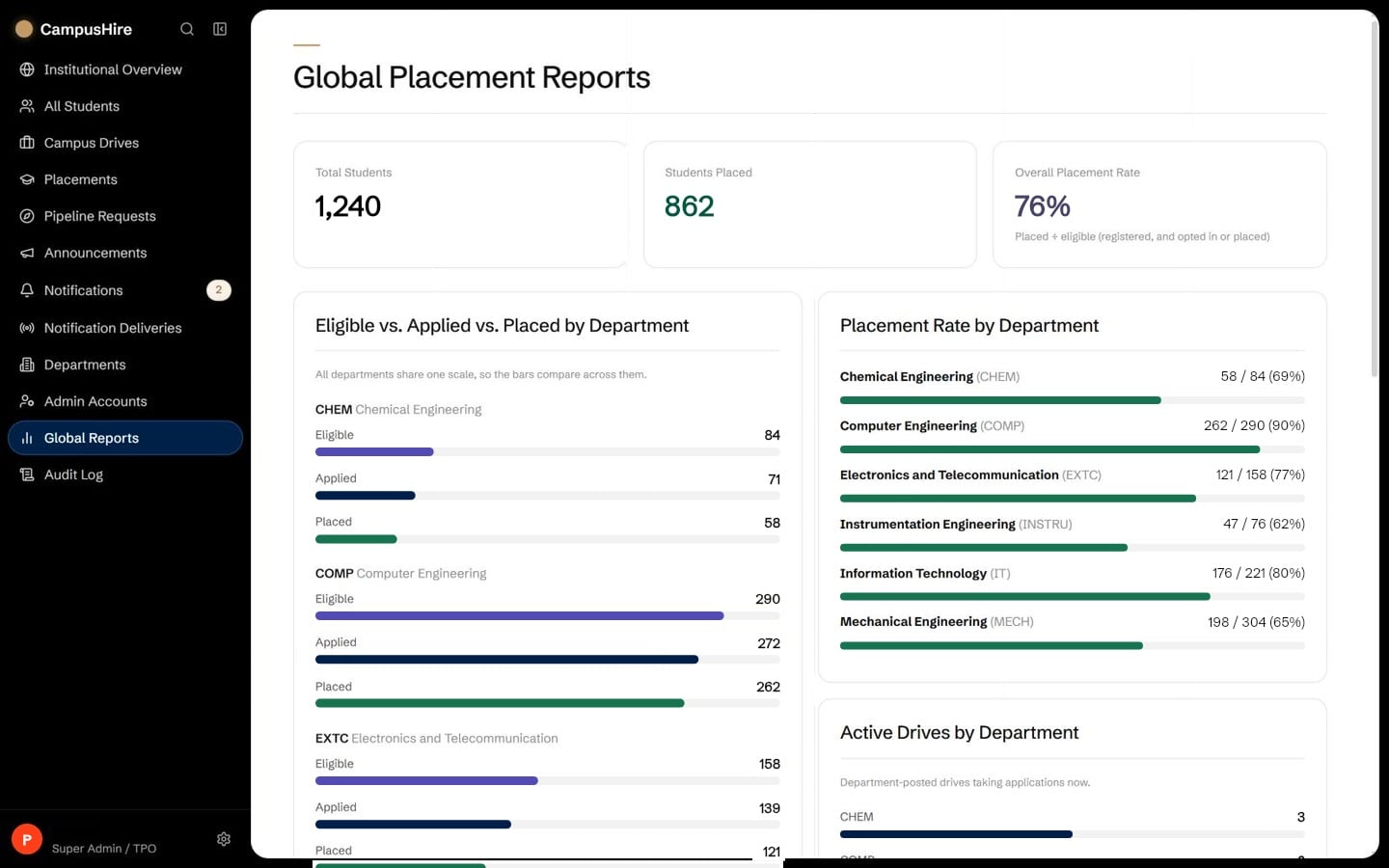
  • COMP90%
  • IT80%
  • EXTC77%
  • CHEM69%
  • MECH65%
  • INSTRU62%

For the placement cell

One view of the entire
placement operation.

Every department, every drive and every applicant — with the list of what needs attention worked out fresh each time you open it.
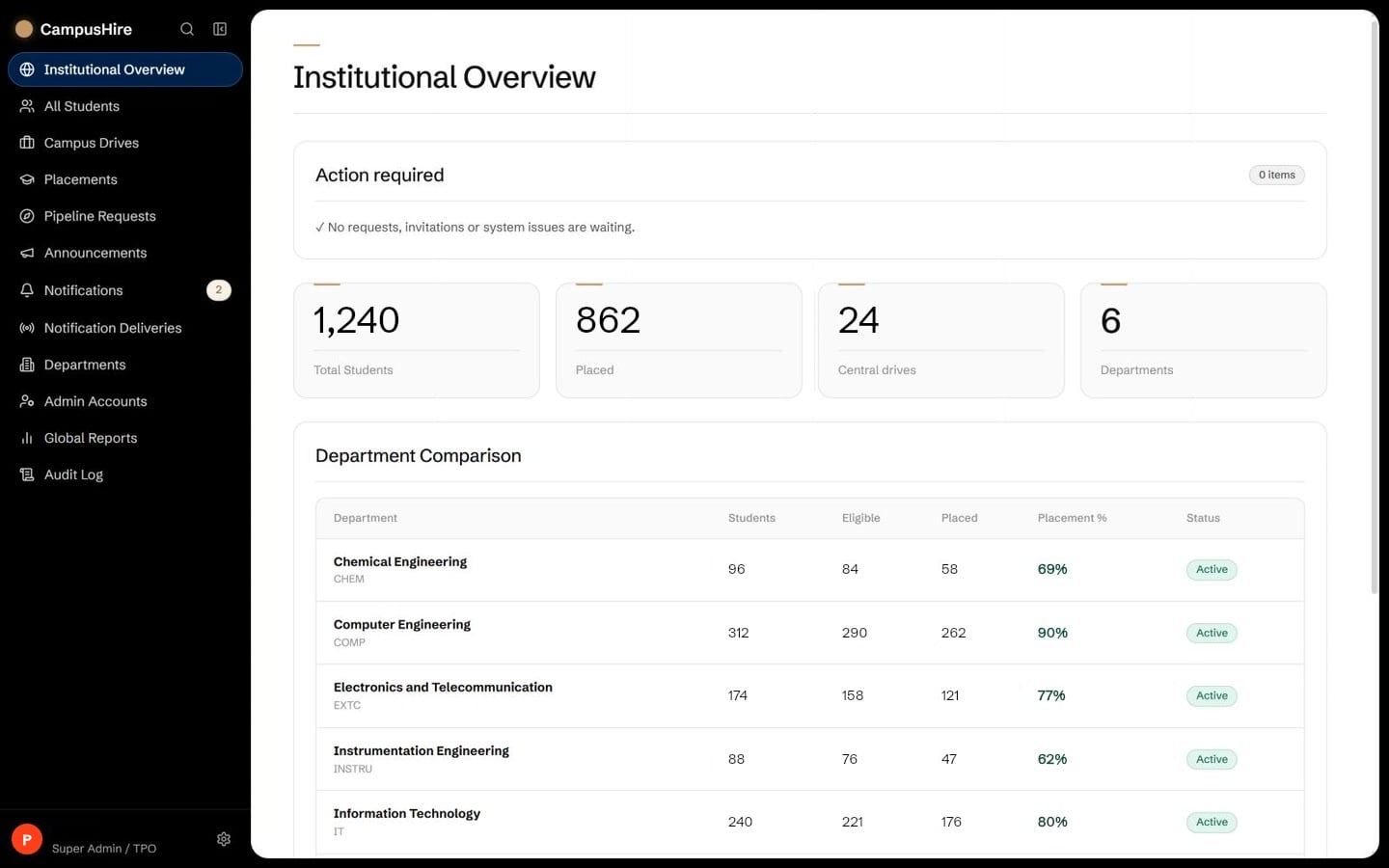
CampusHire institutional overview: action required, key figures and department comparison
View the full screen
1,240Students
862Placed
64Companies
₹7.8 LPAAverage package
Placed students by department
Placed students by department (illustrative)
COMP90%
IT80%
EXTC77%
CHEM69%
MECH65%
INSTRU62%
Live drives
Northwind LabsOpen
Bluepeak AnalyticsShortlisting
Stratus SystemsInterviews
Kite FintechOpen
Illustrative figures
CampusHire global placement reports: eligible, applied and placed students by department
View the full screen
Every department, side by side. Eligible, applied and placed students per department, on one scale.
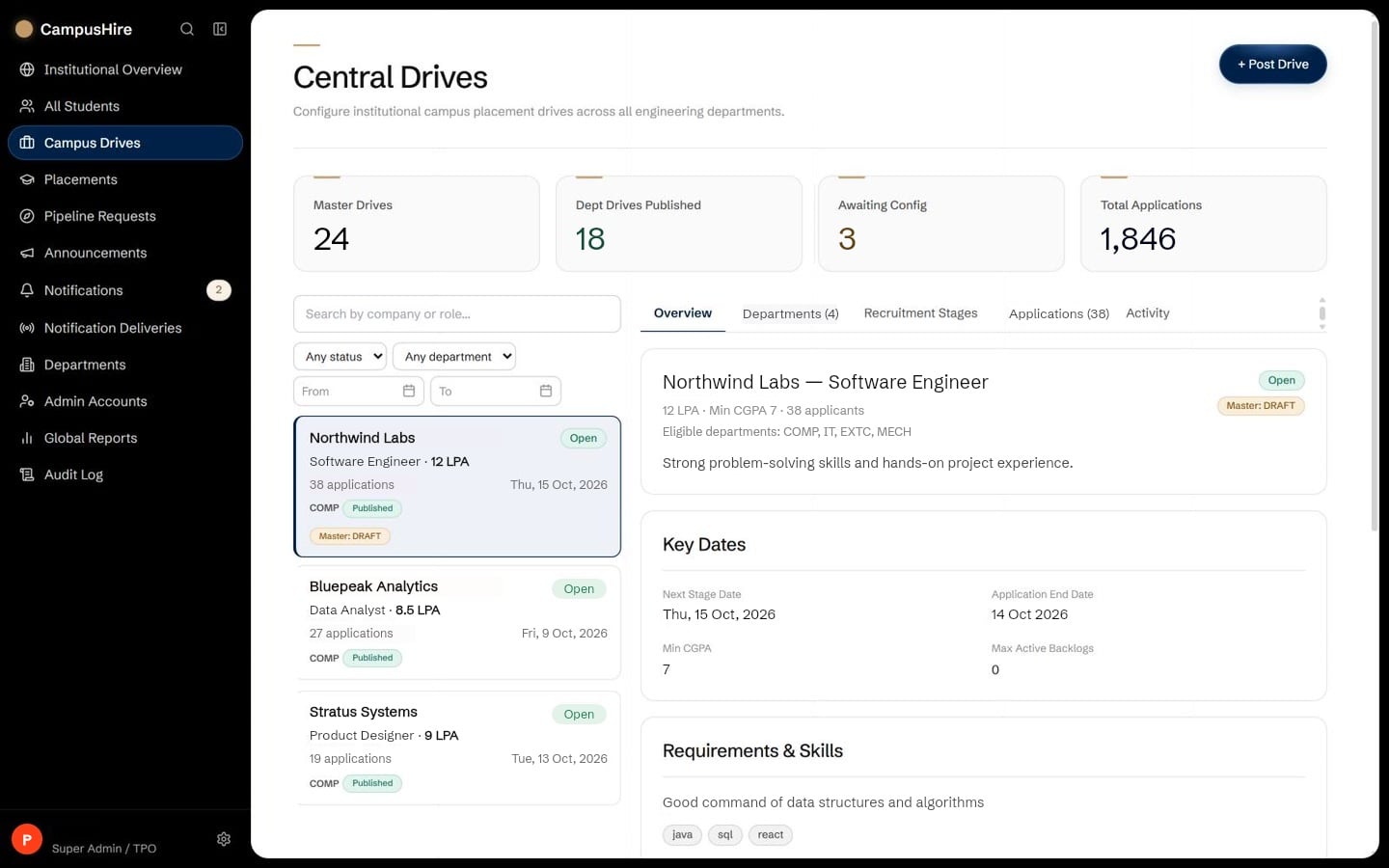
CampusHire central drives workspace: every master drive, its departments and their publishing status
View the full screen
Every drive in one workspace. Which departments have configured and published it, and how many have applied.

How it works

Stage 01 / 07

Every drive, from first notice to final offer.

  1. 01Placement cell

    Receive

    The placement cell posts the drive once.

    Company, role, package and dates are entered a single time, then assigned to the departments the drive is open to.

    Post drive · one entry for every department · illustrative
  2. 02Department

    Configure

    Each department sets its own form and logistics.

    Venue, coordinator and reporting time, plus which profile fields the application form shows, pre-filled or editable.

    Department setup · logistics and the form · illustrative
  3. 03Department

    Eligibility

    One rule set finds the students who match.

    CGPA, backlogs, branch and batch decide who sees the drive and who may apply, and each student is shown why.

    Rule set · who matches, and why not · illustrative
  4. 04Department

    Publish

    Only matching students receive the opportunity.

    Publishing is checked on the server. Eligible students are notified, and the drive appears only for them.

    Published · only eligible students are told · illustrative
  5. 05Students

    Apply

    A student applies with a verified profile.

    Institutional records are locked, the rest is filled from the profile, and what is submitted is saved as a final snapshot.

    Application · verified records, saved snapshot · illustrative
  6. 06Department

    Track

    The department moves applicants through the rounds.

    Every applicant has a stage and a status, and each move is kept in the stage history.

    Rounds · applicants move stage by stage · illustrative
  7. 07Department

    Select

    The placement is recorded and the reports update.

    A placed student only sees drives above their package threshold, and placement rates change across departments at once.

    Placement recorded · reports update · illustrative

Everything connected

Two sides of placement.
One source of truth.

ProfileEligibilityApplicationRoundsPlacementCampusHireRosterDrivesEligibility rulesApplicantsReports
  • Profile → eligibility check
  • Drive → eligible students
  • Application → placement cell
  • Round update → student
  • Placement → reports

The CampusHire ecosystem

Everything a placement season needs,
in one connected system.

Students

  • Verified profile
  • Eligible drives
  • Applications
  • Round updates
  • Placement

Placement cell

  • Student roster & import
  • Drives
  • Eligibility rules
  • Recruitment rounds
  • Reports & exports

Choose your role

Where do you fit into CampusHire?

I’m a Placement Administrator

Onboard your students, configure and publish drives, run the rounds and report across departments.

After signing in you come back here, and “Go to dashboard” opens the dashboard your account is linked to. Administrator accounts are created by invitation — there is no public admin sign-up.

Your placement journey
starts here.